

 OneINV · for e‑commerce sellers
The one-stop solution for e‑commerce sellers
Process orders, sync stock and prove every parcel from one app. One installation, switch on the modules you need, each one runs completely on its own.
One trial length across every module: 7 days, full access, no card required
Bills and labels print on separate pages
Illustration with sample data
Marketplaces we support







One app, covering the order from stock to proof
Three modules, each answering a different moment in a seller’s day. Every one of them also runs completely on its own, you don’t need the whole chain to get value from one link of it.
Order Processing separates bill and label and sorts by courier
Inventory Sync keeps stock correct on every marketplace
VMS films the pack, the dispatch, and any return
Proof is already filed against the Tracking ID
Queue to printed label in one pass
Bulk-process pending orders, print bills and labels on separate pages, SKU-wise, and sort them into courier folders. Live on Amazon, Flipkart, Myntra, Meesho and Ajio, with Nykaa and Snapdeal integrating next.
- SKU-wise label printing: Labels print grouped and sorted by SKU, so a packer can pick, match and pack without hunting through a mixed stack.
- Bill and label on separate pages: The bill and the shipping label for every order print on their own pages, so you can hand over labels and file bills without cutting or sorting.
- Courier-wise folders: Labels and bills are saved in separate folders for each courier, even by courier sub-code, so handover is a sorted stack, not a search.
Bills and labels print on separate pages
Illustration with sample data
Four steps, one sitting, whatever the batch size
Download every pending order across your connected, live platforms into one queue.
Each order’s bill and shipping label print on separate pages; labels print SKU-wise.
Labels and bills land in separate folders for each courier, ready for handover.
A SKU summary for the job, and for each courier, so you can audit today’s orders easily.
Live today on Amazon, Flipkart, Myntra, Meesho and Ajio. Nykaa and Snapdeal are integrating next, at no extra cost once they land.
One run, four things done for you
Every label that comes out of a batch has already been separated from its bill, sorted, filed and checked.
- 1Bill and label on separate pages
Each order’s bill and shipping label print on their own pages, so printing and handover stay clean.
- 2SKU-wise
Labels print grouped and sorted by SKU, so a packer can pick, match and pack without hunting.
- 3Separate folder for each courier
Labels and bills are saved in their own folder per courier, even by courier sub-code, so handover is a sorted stack.
- 4Label summary
A summary of the labels printed lets you audit today’s orders easily. A per-parcel Check SKU audit catches mismatches.
Sample label for illustration. Not a real shipment.
The small details that save hours
Everyday touches built into Order Processing, applied wherever they fit the marketplace.
- Process selected orders onlyRun just the orders you choose, instead of the whole queue
- Paste order IDs to tick themPaste IDs from a spreadsheet, a courier manifest or a message; commas, tabs and new lines all work, and duplicates are dropped
- Several accounts in one runProcess orders from more than one seller account and marketplace together
- SKU, MSKU, Order ID and product name on labelsPut the details your packers need on the label itself
- Page numbers and print date on labelsCount a printed stack easily, with position and font size you set
- Label croppingCropped copies of the combined invoice and label files, saved alongside the full ones
- Trim blank space below invoicesCleaner invoice pages, so less paper is wasted
- Gift orders in their own stackGift-wrap orders are kept apart so they print and pack separately
- SKU-wise packing dimensionsSet the box size and weight for each SKU, with file import
- Seal tags and bag tagsStamp tag codes on labels and track which tags you have used
- Label batchesCut a big label stack into files of a set number of labels
- Redownload and reprintFetch labels and invoices again for a past job
Built for bulk-order sellers on tight dispatch windows
Process dozens or thousands of pending orders together instead of one browser tab at a time.
Labels print grouped and sorted by SKU, so a packer can pick, match and pack without hunting through a mixed stack.
The bill and the shipping label for every order print on their own pages, so you can hand over labels and file bills without cutting or sorting.
Choose single-item orders, multi-item orders or both for a run. Where the marketplace needs it, a multi-item order can be split into single-item parcels.
Labels and bills are saved in separate folders for each courier, even by courier sub-code, so handover is a sorted stack, not a search.
Every job gives you a SKU summary file, for each courier too, listing how many units of each SKU are in the stack. You know what to pull from the racking, and you can audit today’s orders at a glance. A Check SKU audit compares each parcel’s label with what is in it.
Each module has its own plan. Within Order Processing the price is per order, and it is the same whichever marketplace the order came from.
Sell the same SKU everywhere without overselling it
List one product across Amazon, Flipkart, Myntra, Meesho, Ajio, Snapdeal and Shopify, and every sale has to be deducted everywhere before somebody buys stock you no longer hold. Inventory Sync does that deduction once and republishes the corrected number to every connected channel, so no marketplace is left holding a quantity you cannot fulfil.
- Orders pulled automatically, stock pushed back everywhere
- Low stock rules, audit trail, exportable reports
- One primary sync machine, read-only for the team
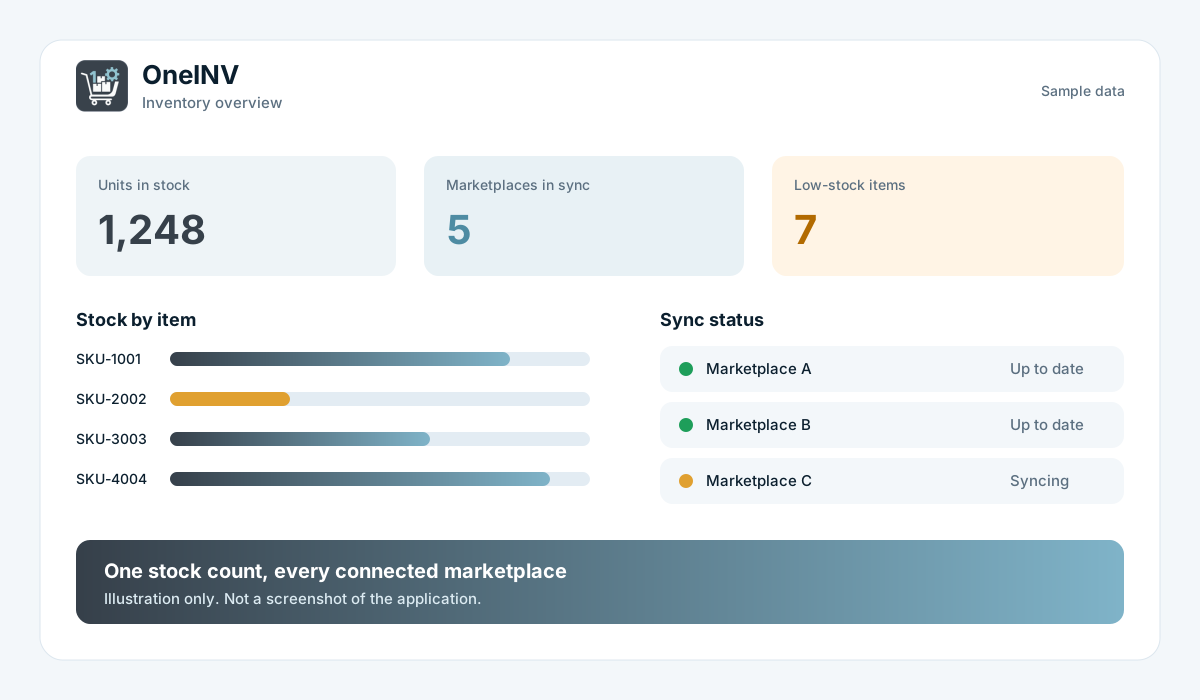
One order deducted once, then republished everywhere
Illustration with sample data
Real-time stock, low stock rules and reports
Monitor live inventory levels across all your e-commerce channels from a single dashboard.
Stock stays aligned across all your connected marketplaces with no manual updates needed.
Set a minimum quantity or days-of-cover rule. Low and out-of-stock items show on your dashboard and in a report you can export to Excel or PDF.
KPI cards, stock summaries and order trends keep everything visible at a glance, plus daily email summaries of your orders, so you don’t have to open the app to check in.
Audit log, stock ledger, low stock, SKU sales, top-selling items and more, each with Excel and PDF export.
Track and manage open orders across platforms, all from within a single interface.
OneINV syncs inventory across India’s leading marketplaces
AmazonIndia’s largest marketplaceFlipkartFashion, electronics & moreMyntraFashion, lifestyle & beautyMeeshoSocial commerce & resellingAjioFashion & lifestyleSnapdealValue & budget shoppersShopifyYour own branded storefrontGuided onboarding with no pressure and no technical hassle
Fill the contact form or WhatsApp us with your business details.
Our team understands your platform setup and order volumes.
We connect your seller accounts, map SKUs and set your stock baseline with you.
7-day free trial: full access with hands-on support from our team, and no commitment.
The claim says “empty box”. You have the video.
A buyer returns an empty carton, a used item, or something else entirely, then files a claim. With nothing to show, the marketplace decides against you and the loss is yours. VMS films the packing of every order and the opening of every return, files both against the Tracking ID with the product image, and hands them back to you in seconds.
- Forward and return video, same Tracking ID
- Any USB webcam, several stations in parallel
- Choose the recording date
- Search and download by Tracking ID
Illustration with sample data
Everything you need to win a dispute
Every outgoing order gets its own clip, captured as your team packs: product shown, boxed, sealed and labelled.
Record the returned parcel being opened too. Forward and return sit against the same Tracking ID, so the full chain is on record.
Select the date and record against it, so proof for an earlier day still lands against its Tracking ID.
Scan the shipping label to begin recording, no mouse needed. Scanning the next label saves the clip and starts the next one.
Tiles show the ordered product images, so the packer confirms the right product before recording.
Copy a link to a video, or to all its files, to send to a courier, platform or customer. Links can be revoked.
Run as many packing stations as you need. Every system records at the same time and everything lands in one searchable set.
A still of the actual product packed is saved next to the video. It is the fastest way to defeat a “wrong item received” claim.
Paste the Tracking ID or AWB from the marketplace dispute. The matching video and product image come up straight away.
Download the clip and the image and attach them to your marketplace claim as proof, whether that is Amazon, Flipkart, Myntra, Meesho, Ajio or another channel.
Download, install, connect a webcam, record. No integration project, no training programme, no consultant.
An ordinary USB webcam or the camera already at your packing table is enough. No warehouse rewiring, no CCTV project. IP cameras over RTSP work too if you already have them.
Cloud copies are kept for 90 days by default. After that the video and screenshots are removed, while the record and its details stay, so download or share what you need to keep.
Raising the claim straight from OneINV with the video already attached is on the roadmap. It has not been released yet.
Most tools stop at dispatch. VMS records the return too, and files it against the same Tracking ID.
Forward video starts on scan
Clip filed to the Tracking ID
Parcel comes back to you
Return video, same Tracking ID
Both clips ready to submit
Every packing table records at once
You don’t queue orders through one camera. Each station runs its own copy and records in parallel: four packers, four cameras, four simultaneous recordings.
Everything lands in the same searchable set, keyed by Tracking ID, so it doesn’t matter which table packed the order when the claim arrives.
Three steps at the packing table, with no extra clicks and nothing new to learn
Scan the shipping label at the packing table. OneINV picks up the Tracking ID and starts recording.
Show the product, box it, seal it, label it. The sequence and the product image are captured. Returns are recorded the same way.
Claim lands? Search the Tracking ID, download the video and image, submit them as proof.
Two more tools, built in at no cost
Unlike the three paid modules above, these run on every OneINV install with no trial, no credits and no licence gate, ever.
Platform Offer Guard
Flipkart can auto-enrol sellers into promotional offers that cut into margin. Offer Guard watches every offer your Flipkart accounts are opted into and acts on rules you set.
- Notify-only: get an email the moment a new offer appears
- Auto opt-out: leave automatically once an offer’s “burn share” crosses a threshold you set
- Per-account watch settings, no module licence or credits required
Flipkart is the only platform supported today; more are on the roadmap. Checks run about once an hour, and the OneINV app needs to be running on your main PC.
MRP, barcode & QR label studio
A drag-and-drop label designer for your own product labels, separate from the courier shipping labels Order Processing prints. Build a template once, reuse it forever.
- Code128 barcodes and QR codes, plus text, on any label size
- Pull Brand, Colour, Size and MRP straight from an Excel import
- Print one per page or laid out on a sheet; export to PDF
Product/retail labels, not shipping labels. Those live in Order Processing.
Which module do you need?
All three modules live inside the same OneINV application. Most sellers eventually run more than one, but none depends on another.
| Order Processing | Inventory Sync | VMS | |
|---|---|---|---|
| Solves | Slow manual processing at bulk-order volume | Overselling, stale stock counts, manual updates on every platform | False return claims, wrong-item and empty-box disputes |
| Free trial | 7 days, starting on install | 7 days, starting after guided setup | 7 days, starting on install |
| How you start | Download the setup and run it. No call needed. | Book a call. Our team connects your seller accounts and maps SKUs with you. | Download the setup and run it. No call needed. |
| What you need | A Windows PC and access to your marketplace seller accounts | A Windows PC and access to your marketplace seller accounts | A Windows PC at the packing table and a USB webcam |
| Platforms today | | | Any marketplace you dispatch on |
| Billing | 1 order credit per order, on any marketplace, from ₹0.08* | 1 order credit per order processed, from ₹0.15* | 1 recording credit per video, from ₹0.35* |
| Can run on its own? | Yes | Yes | Yes |
*Lowest rate, on the largest recharge plan. Rate depends on which plan you choose, see pricing for the full tier list.
One clean desktop app
Your stock and your orders live in the same interface
Simple, prepaid pricing, all three on one screen
Each module keeps its own recharge plan and its own buyer. No monthly subscription on any of them: buy credits, use them, top up when you need to.
Order Processing 1 credit = 1 order processed · priced per order, not per marketplace
6 tiers, ₹2,500 to ₹40,000, plus 18% GST. Same price whichever marketplace the order came from.
OOP-STROOP-BASOOP-GRWOOP-PROOOP-BUSOOP-ENTOrder Processing prices are exclusive of 18% GST. Credits are held separately from VMS and Inventory Sync, so this module runs on its own. Not sure which plan fits? Contact us and we will recommend one based on your monthly orders.
Inventory Sync 1 credit = 1 order processed
6 tiers, ₹6,250 to ₹60,000. The more you order, the lower your per-order rate.
Email + remote supportEmail + remote supportEmail + remote supportPriority supportPriority supportDedicated supportEvery plan includes real-time stock tracking, multi-platform sync and low stock rules. Not sure which plan fits? Contact us and we will recommend one based on your monthly orders.
VMS 1 credit = 1 recording
5 tiers, ₹700 to ₹70,000, plus 18% GST. Not sure how many you need? Tell us your monthly dispatch volume.
OVMS-STROVMS-BASOVMS-GRWOVMS-PROOVMS-BUSAll VMS prices are exclusive of 18% GST. Recording credits are held separately from Inventory Sync and Order Processing credits, so the VMS module can run on its own.
Built for sellers who ship a lot, get returns, and can’t afford to guess
Hundreds of orders to clear before the courier pickup? Order Processing prints bills and labels on separate pages and sorts the whole batch into courier folders so packing keeps up with volume.
Selling on Amazon, Flipkart, Myntra, Meesho, Ajio, Snapdeal and Shopify at once? The Inventory Sync module keeps stock aligned everywhere and stops overselling before it starts.
Real-time visibility into every stock movement with a full audit trail and exportable reports, plus video backing every dispatch once VMS is running.
If empty-box and wrong-item claims are eating your margin, the VMS module alone is worth switching on. Download it, record for seven days free, and see how it feels to have proof.
Four packers, four cameras, four systems recording at the same time, with every clip filed against its Tracking ID and searchable from one place.
Frequently asked questions
Tap a question to open the answer
Can I use Order Processing on its own?
Yes. Order Processing is one of three modules inside OneINV and runs independently of VMS and Inventory Sync. Download the setup, install it, and your 7-day free trial starts the same day.
Which platforms does Order Processing support today?
Amazon, Flipkart, Myntra, Meesho and Ajio are live today. Nykaa and Snapdeal are being integrated next and will be added to every existing plan at no extra cost once live.
Is the Order Processing rate different for each marketplace?
No. Order Processing is priced per order, not per marketplace, based only on your total order volume for the plan you hold, whether the order came from Amazon, Myntra, or a newly integrated marketplace.
How does Order Processing handle single and multi-item orders?
You choose single-item orders, multi-item orders or both for each run. Where a marketplace needs it, a multi-item order can be split into single-item parcels, each with its own label.
How much does Order Processing cost?
Plans run from ₹2,500 for 10,000 orders up to ₹40,000 for 5,00,000 orders, plus 18% GST. That works out to ₹0.25 down to ₹0.08 per order. See the recharge plans above.
Can I use only the VMS module?
Yes. VMS is one of three modules inside OneINV and it runs perfectly well on its own. Download the setup, install it, and your 7-day free trial starts the same day. You do not need to switch on Inventory Sync or Order Processing and you do not need their credits.
How do I start using the VMS module?
Download the OneINV setup, install it on your packing computer, connect any USB webcam and start recording. No onboarding call, no configuration project. If you'd rather we walk you through it, we're on WhatsApp.
Does the VMS module record returns as well as packing?
Yes, in both directions. The forward video is captured when you pack and dispatch; the return video is captured when the parcel comes back and is opened. Both sit against the same Tracking ID, so you can show the full chain in a dispute.
Can multiple packing stations record at the same time?
Yes. The VMS module supports multiple systems recording in parallel. Each packing table runs its own camera and records simultaneously, and everything lands in the same searchable set keyed by Tracking ID.
What can the VMS module do today, and what is still coming?
Available today: forward and return video capture, product image capture, parallel recording across systems, and retrieval of any video and image by Tracking ID to download and attach to a claim. On the roadmap: filing the claim automatically from inside OneINV, plus further automation. Roadmap items are not released yet.
Do I need CCTV or special hardware?
No. An ordinary USB webcam or the camera already at your packing table is enough. There's no warehouse rewiring and no separate CCTV project to fund.
How much does the VMS module cost?
Plans run from ₹700 for 1,000 recordings up to ₹70,000 for 2,00,000 recordings, plus 18% GST. That works out to ₹0.70 down to ₹0.35 per recording. See the recharge plans above.
Why does Inventory Sync need a setup call when VMS does not?
VMS only needs a camera, so you can switch it on yourself. Inventory Sync has to be connected to your marketplace seller accounts and your SKUs mapped correctly before stock can move automatically. Our team does that with you, though the trial itself is the same 7 days as the other modules.
How does OneINV sync inventory across platforms?
OneINV fetches orders from your connected marketplaces on a scheduled interval, deducts stock once, and pushes the updated quantity back to every platform, so no channel is left holding a number you can't fulfil.
Do all three modules share one credit balance?
No. VMS, Inventory Sync and Order Processing each keep their own prepaid balance and their own recharge plan. VMS spends one recording credit per video, Inventory Sync and Order Processing each spend one order credit per order. Top up whichever module you are using.
Can I use OneINV on multiple computers?
Yes. For VMS, every packing station can record in parallel. For Inventory Sync and Order Processing, one machine acts as the primary machine and the rest of your team gets a read-only dashboard view.
What happens when my trial ends?
You pick a credit pack that suits your volume: recording credits for VMS, order credits for Inventory Sync, order credits for Order Processing. No monthly subscription, no hidden charges, and you only top up when the balance runs low.
Are Platform Offer Guard and Label Studio really free?
Yes. Both run on every OneINV install with no trial, no credits and no licence gate, whether or not you have bought any of the three paid modules. See the free tools above.
Is Label Studio the same as the shipping labels Order Processing prints?
No. Label Studio designs and prints your own product or MRP labels with barcodes and QR codes. Order Processing's SKU-wise label printing handles courier shipping labels. They are separate, unrelated features.